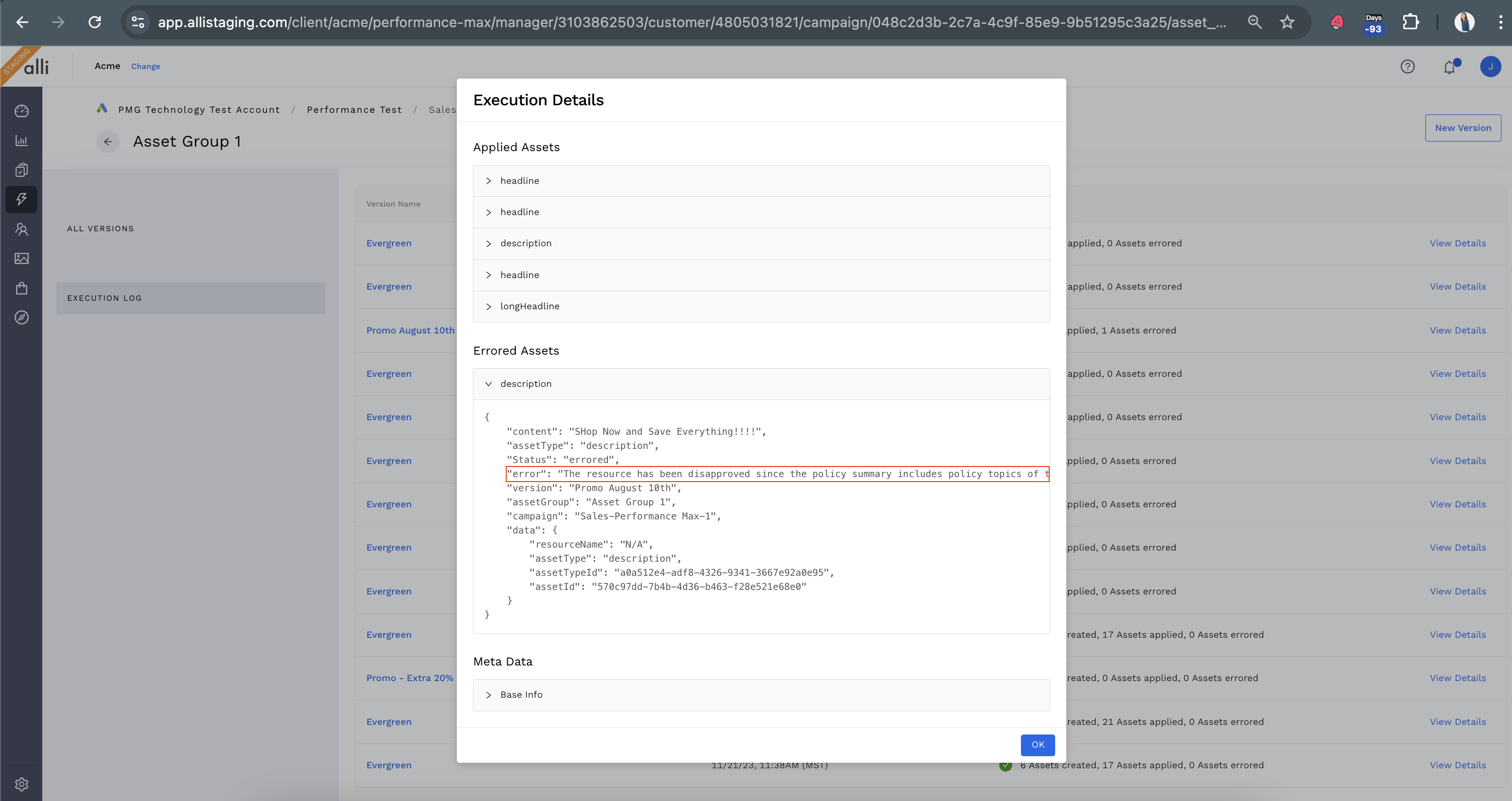
The Execution Log in Alli provides a detailed record of actions performed on your Asset Groups, including successful updates and any errors encountered. Use this guide to review the logs and troubleshoot issues effectively.
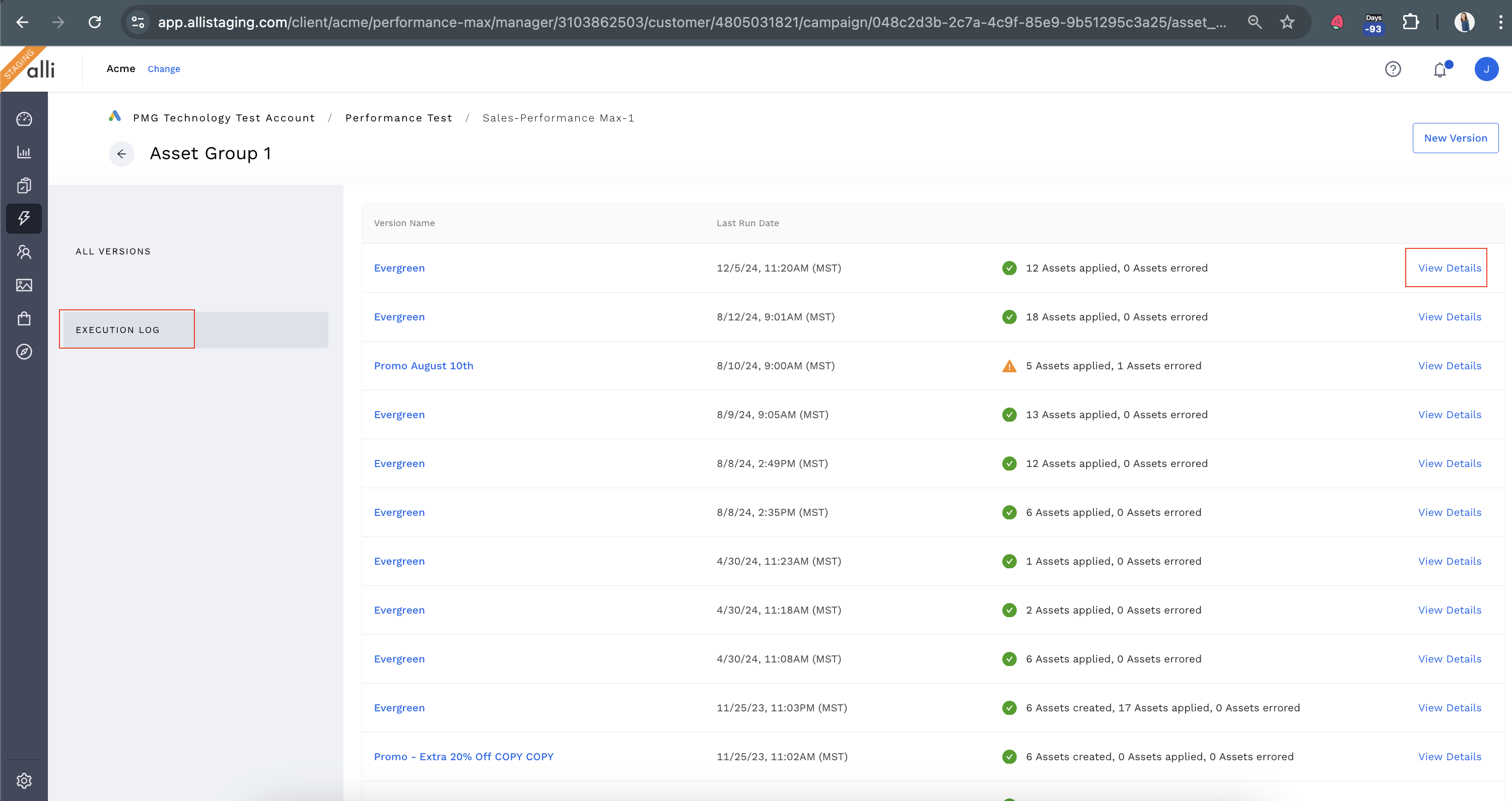
Step 1: Navigate to the Execution Log
-
Go to the Landing Page and select the Asset Group you want to review.
-
Click on the Execution Log tab to view all recent activities.
-
The log contains the Version Name, the date the rotation ran, and the status of the rotation.
-
-
Click on View Details for the rotation you want to review.
Step 2: Review Log Entries
-
Each log entry includes
-
Applied Assetswhich showcases the successfully applied assets. -
Errored Assetswhich showcases the assets that faily to apply
-
-
Open the
Errored Assetsand review theerrorfield for specific information as to why the asset had issues.