
In order to connect Workflows to Notion, you will need:
-
A Notion Access Token
-
A Notion Database ID
-
A Notion Page ID
Access Token
In order to obtain an access token, you must create an integration within Notion.
-
Go to the Notion Integrations Portal
-
Select "New Integration"
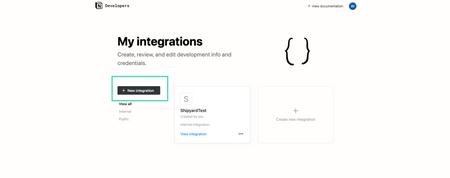
-
Provide a Name for your Integration

-
Copy the Integration Secret Value to use as the
Notion Access Tokeninput
Connecting the Integration
In order to make API calls to Notion with the access token created in the previous steps, you must create a parent page where the database will reside and establish a connection with your Integration 1. Navigate to a page where your database either currently resides or will reside 2. In the top right hand corner, select the settings (...) icon and toward the bottom select the Add Connections option 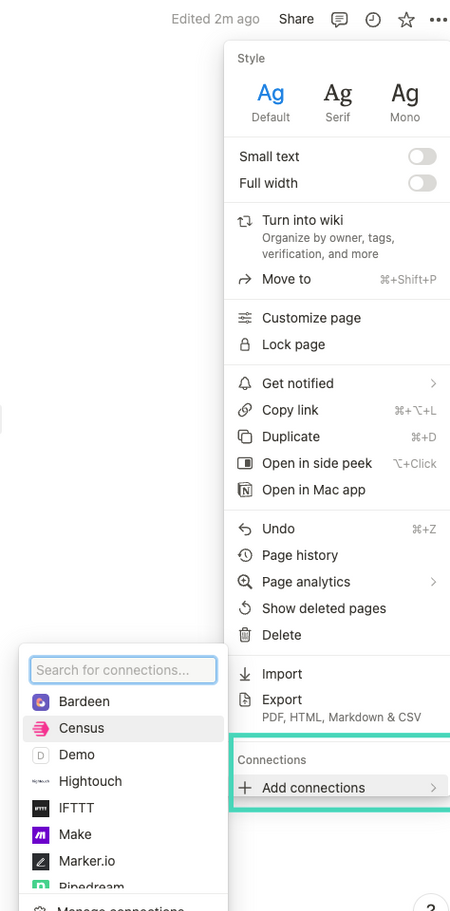
confirm to establish a connection 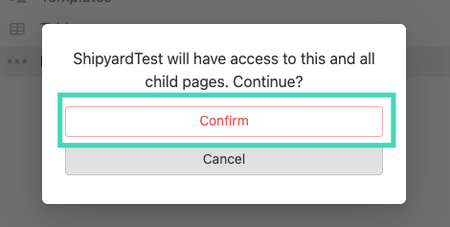
Database ID
To obtain the Database ID, you need to simply access a database within the Notion UI and copy the trailing portion of the URL
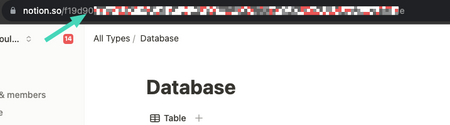
Page ID
To obtain the Page ID: 1. Select a Page in Notion 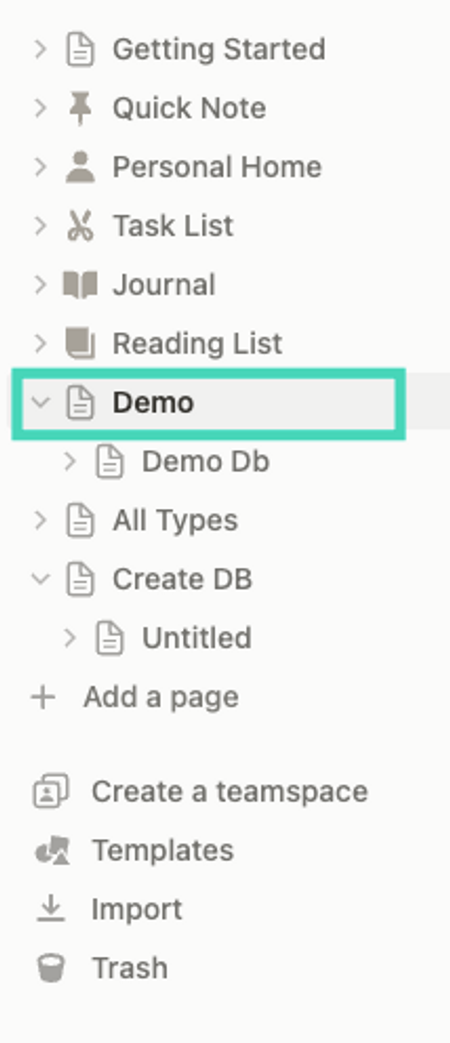
Share option 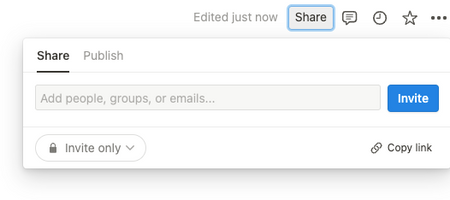
notion.so/PAGE_NAME 