
Overview
Once you have these user defined functions, you will have to use SQL in order to create your report.
Instructions
Redshift Instructions
Categorizations inside of redshift are very easy to use and do not rely on datasources. They are created as functions.
-
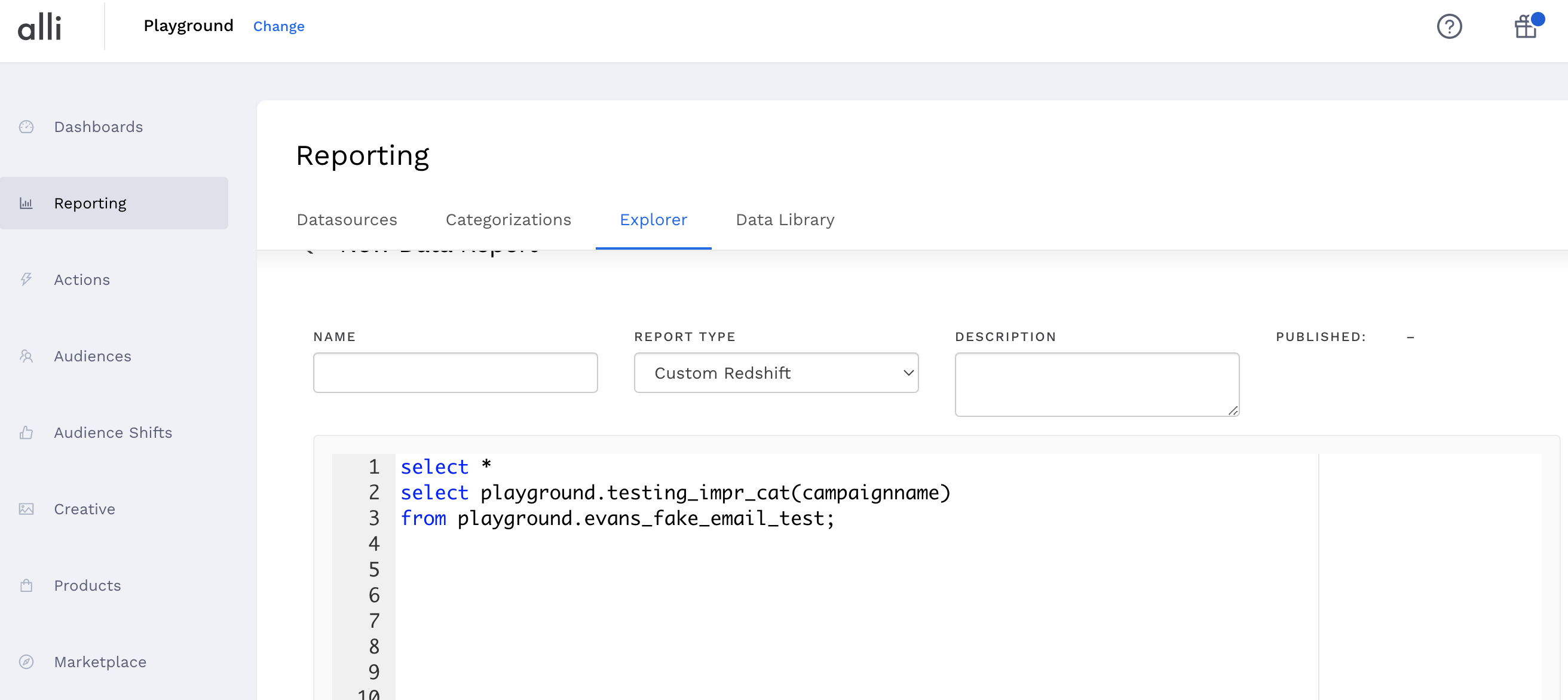
Click on Reports from the left-hand navigation and Explorer from the top navigation.
-
Click on the New Data Report button.
-
From the Report Type dropdown, select Custom Redshift
-
You can now create your report using SQL. The following categorization named search_tactic inside of the pmg marketing client:
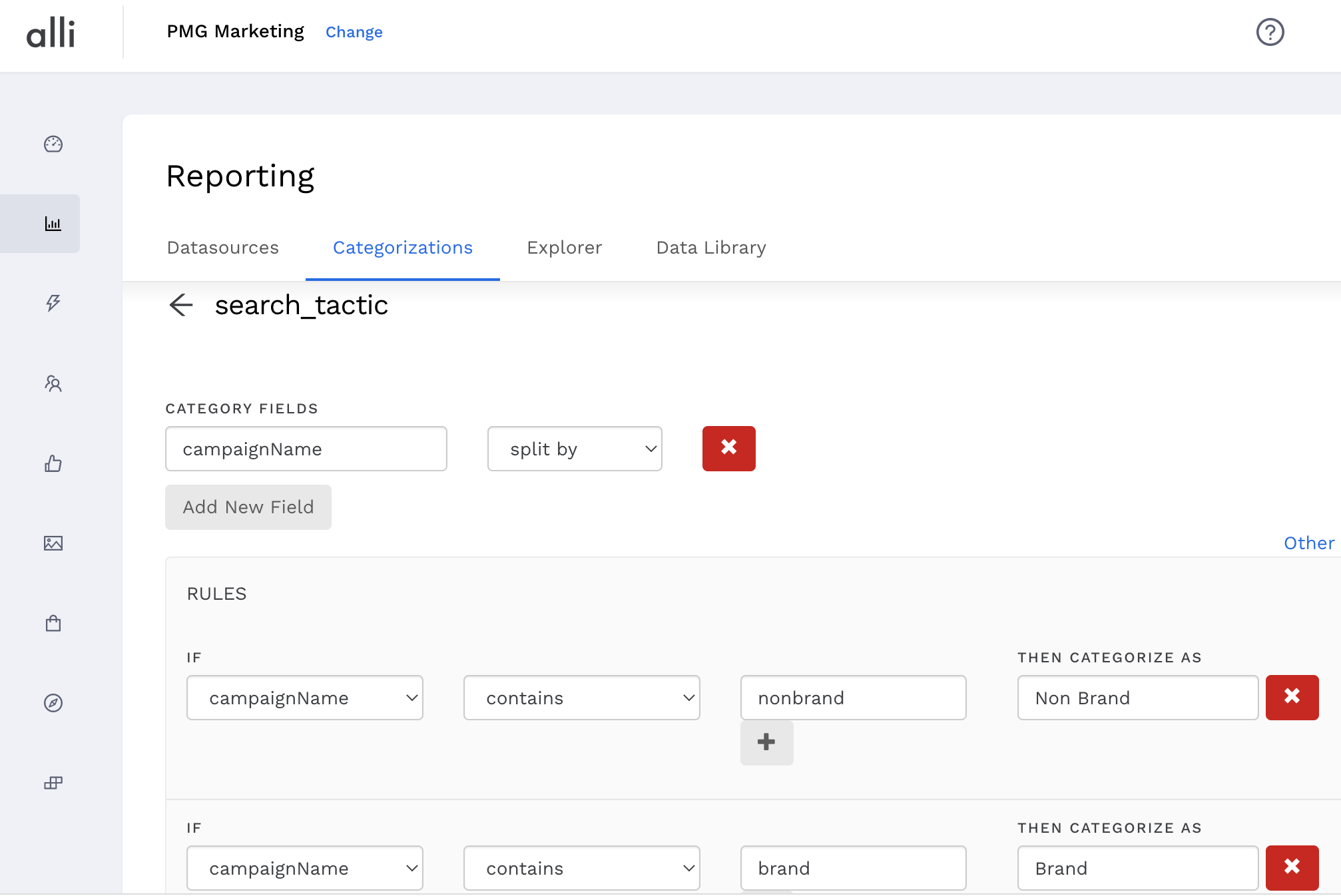
This can be referenced in your custom redshift SQL as follows:
select pmg_marketing.search_tactic(campaign) from pmg_marketing.datasource;
The field name does not have to match the UI. Since the categorizations are not datasource dependent, you can use any datasource column.
select pmg_marketing.search_tactic(campaignName) from pmg_marketing.datasource2;
select pmg_marketing.search_tactic(campaign_name) as tactic, SUM(impressions) from pmg_marketing.google_ads GROUP BY tactic;
-
If you click Preview on this SQL query, you will see the line items based on the user-defined values created in the Categorization. Check to make sure that your categorizations look correct. You are now able to see your published categorizations in your reports!
BigQuery Instructions
BigQuery categorizations very similar to Redshift
select pmg_marketing.search_tactic(campaign_name) from pmg.datasource;
Related articles
- How-To: Use categorizations within your custom report
- How-to add a new datasource to an existing Data Studio dashboard
- Advanced Guide: Enabling Big Query for a Custom Alert
- How-To: Name Datasource Columns
- How-To: Enable Product Feed Reporting
- How-To: Include Custom DSP Cost in Display Reporting
- How-To: Add a new categorization
- Tutorial: Getting started with Explorer Reports
- How-To: Backfill a datasource
- How-To: Categorize CM360 Conversions
- How-To: Create a new datasource
- How-to Create a Sentiment Dashboard from FB Sentiment
- How-To: Identify Which Platforms and Report Types are Enabled for Reporting
- How-To: Enable Device and Demographic Reporting
- How-To: Manually upload data to an existing datasource