
Understanding Creative Fatigue
What It Is
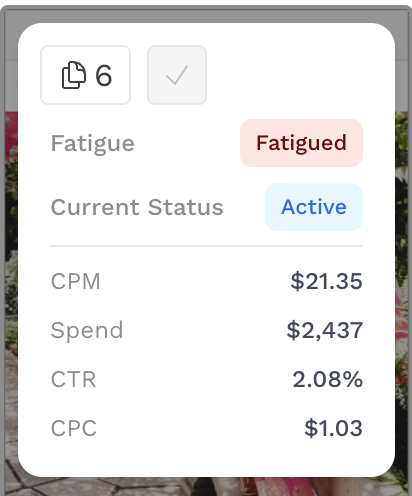
Creative Fatigue identifies when an ad’s performance begins to decline compared to how it performed when it first launched. Detecting fatigue early helps you refresh creative assets before efficiency drops and results worsen.
Why It Matters
Creative Fatigue helps make creative an optimization lever, not just something to report on. By surfacing clear, data-backed fatigue signals, teams can act quickly to refresh underperforming assets, improve media efficiency, and maintain stronger audience engagement.
Actions to Take
When an ad shows signs of fatigue, it’s a signal to act — not just observe. Here’s how to respond:
-
Review performance trends in Creative Insights to confirm the decline and understand when it began.
-
Collaborate with your creative team to develop refreshed assets that bring new visuals, copy, or formats to re-engage your audience.
-
This can be done directly through Alli: How-To: Request Asset Renewals
-
-
Reallocate spend toward stronger-performing or newly refreshed creatives while monitoring recovery in engagement and cost efficiency.
Refreshing fatigued ads early helps sustain performance momentum and extend the lifespan of your campaigns.
Getting Started
To begin leveraging Creative Fatigue:
-
Navigate to Creative Insights
-
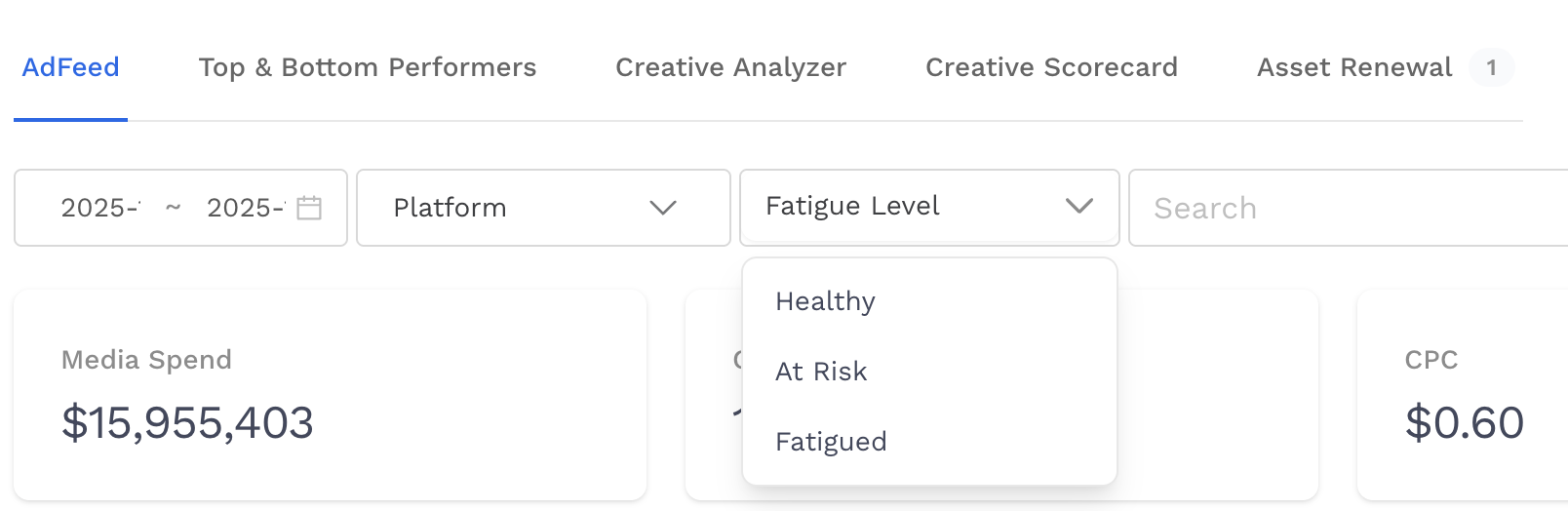
Locate the Fatigue Level filter at the top of page content. Here you can select to filter for assets based on their current fatigue label within the date range you have selected.
-
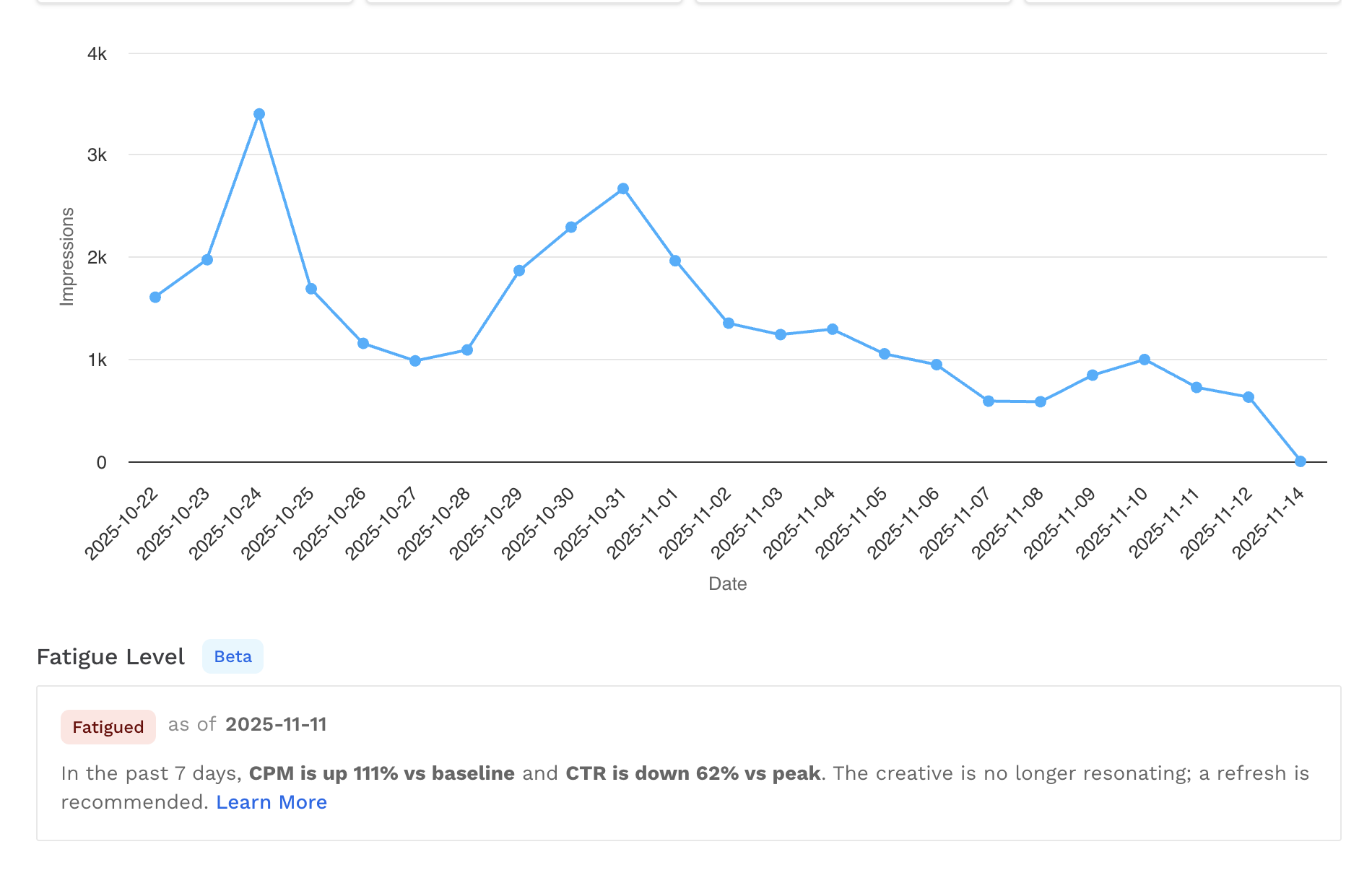
Click into an asset and you can locate more information about the fatigue analysis below the graph.
How It Works
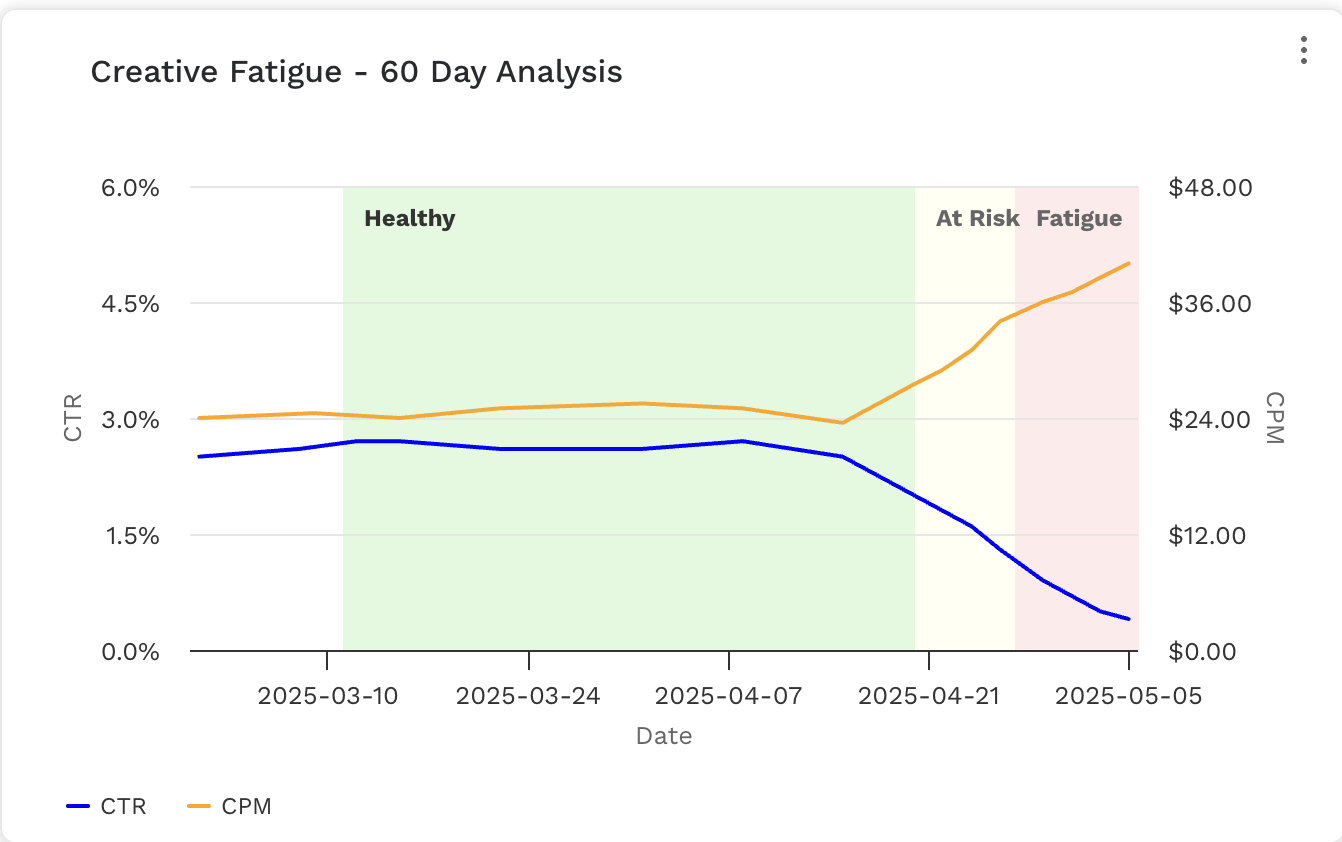
Alli monitors two key performance areas to determine fatigue:
-
Engagement metrics (like Click-Through Rate, or CTR)
-
Cost-per-volume metrics (like Cost per Thousand Impressions, or CPM)
When either of these metrics show signs of decline, Alli automatically labels the creative with one of four statuses:
|
Label |
Description |
|---|---|
|
N/A |
The ad hasn’t been live long enough or doesn’t have enough performance data yet to evaluate. |
|
Healthy |
No meaningful decline detected in engagement or cost efficiency. |
|
At Risk |
Early signs of decline are appearing in engagement or cost performance — monitor closely. |
|
Fatigued |
Clear signs of performance decline — creative has likely worn out and should be refreshed. |
How Metrics Are Calculated
To prevent false spikes or dips, Alli uses a 7-day rolling average instead of single-day data.
-
CPM Baseline: established once the “N/A” threshold is passed, then held constant for comparison.
-
CTR Peak: the highest 7-day average CTR seen so far. This value updates over time as new performance highs are reached.
Practical Example
|
Scenario |
CPM Change |
CTR Change |
Label |
What It Means |
|---|---|---|---|---|
|
New Ad |
– |
– |
N/A |
The ad is still collecting data (under 10 days live and < 20 clicks). |
|
Slight Variance |
↑ 2% |
↓ 6% |
Healthy |
Normal fluctuation, no action needed. |
|
Moderate Decline |
↑ 25% |
↓ 30% |
At Risk |
Cost rising and engagement slipping — monitor closely. |
|
Strong Decline |
↑ 25% |
↓ 53% |
Fatigued |
Creative has worn out; plan a refresh. |
FAQs
Can an ad recover from fatigue?
Yes. If performance improves, the label updates automatically.
Does Creative Fatigue only use CTR and CPM?
For now, yes. Future versions may include other metrics like video view-through rate or CPC, depending on creative type.