
What this unlocks
Metric customization allows teams to evaluate creative performance using the KPIs that matter most to them, rather than relying on a fixed set of default metrics.
This ensures creative insights align with client goals, campaign objectives, and how success is actually measured.
Who can manage metrics
-
Client Owner permission role defined in Alli Central
Customizable metric displays
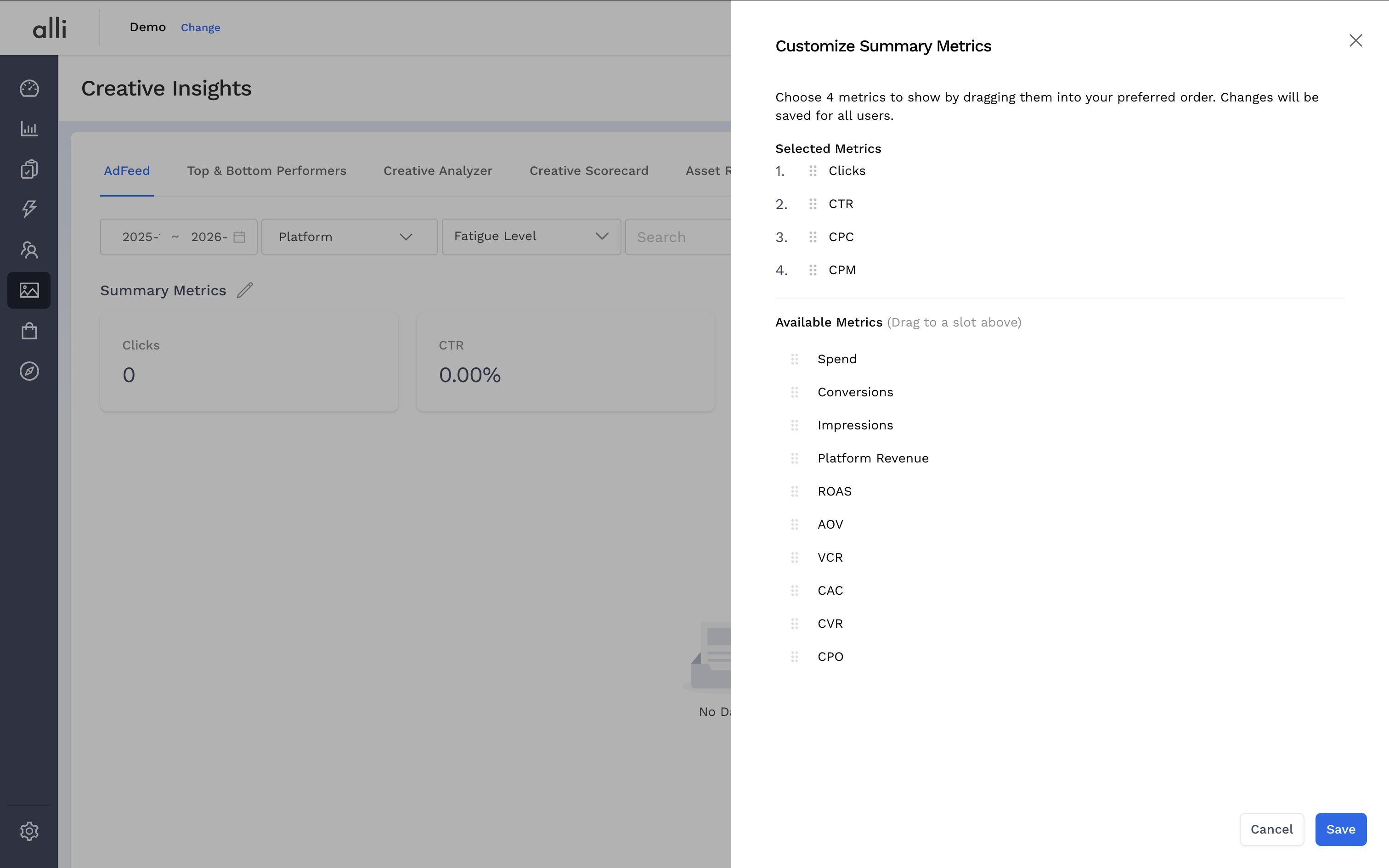
Client Owners can configure which metrics are shown throughout Creative Insights to reflect the KPIs that matter most for each client.
-
Select a set of metrics to display
-
Reorder metrics to prioritize what’s most important
-
Changes are applied consistently for all users on the client
To get started
-
Locate and click the pencil icon
-
Drag and order the metrics you want to display
-
Click Save to see changes reflected
-
Changes only reflected on the current page but changes can be made to each page
-
Expanded metric bank
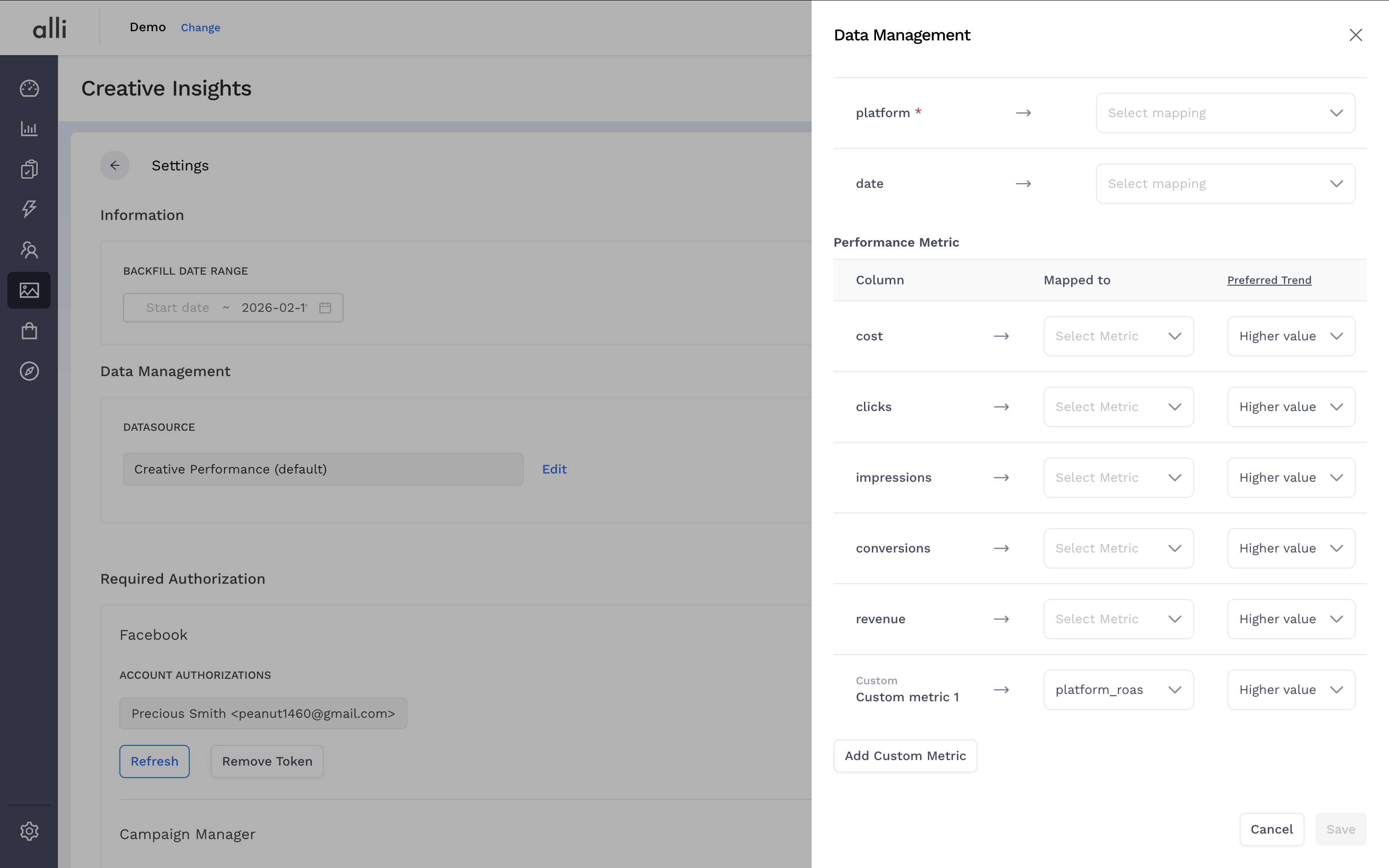
Teams can import their own custom datasource, which may include additional client-specific metrics.
-
Imported metrics are added to the available metric bank
-
These metrics can be selected alongside standard metrics
-
Enables use of custom KPIs unique to a client
To integrate a custom datasource, leverage the custom metric integration guide. Once the integration is complete, import new metrics by:
-
Navigate to the 3-dot menu in the upper-right corner and click Settings.
-
Click the Edit link next to the datasource name
-
Scroll down and click Add Custom Metric.
-
Select the metric you want from the dropdown and indicate a Preferred Trend to inform sorting in the UI
-
Click Save and pick a backfill date range historical data. The metric will now be available in your bank.
Frequently Asked Questions
How do I get assets for all the new platforms into Creative Insights?
Check out the guide for asset uploads.
How do I QA the data in Creative Insights?
Creative Insights will use the same data as Data Explorer so you can locate an ad and copy the same over to Ask Alli in Data Explorer and generate a query with your metrics.
How do I delete a custom metric?
In the mapping drawer, you can click the x next to mapped custom metric and click save. This will drop the metric from the application's schema.
What do I need to consider when making changes to the data model related to join keys and metrics?
Any changes to the data model that could impact linked columns will require a full historical backfill on the Creative Insights Settings page.