
Overview
Run a dbt-Core job within the Alli backend to execute data transformations on the user’s selected target.
|
Name |
Reference |
Type |
Required |
Default |
Options |
Description |
|---|---|---|---|---|---|---|
|
GitHub Branch |
GITHUB_BRANCH |
Alphanumeric |
|
None |
- |
The repository branch the user would like to execute jobs for. |
|
Target |
TARGET |
Alphanumeric |
|
None |
- |
The selected target in the https://docs.getdbt.com/docs/fusion/connect-data-platform-fusion/connection-profiles |
|
GitHub Repository |
GIT_REPO |
Alphanumeric |
|
None |
- |
The repository the user would like to execute jobs for.
|
|
dbt Command |
RUN_TYPE |
Select |
|
Build |
Build, Run, Debug |
The dbt command selected by the user.
|
YAML
Below is the YAML template:
source:
  template: dbt Core - Run Command
  inputs:
    GITHUB_BRANCH:
    TARGET:
    GIT_REPO:
    RUN_TYPE: 'build'
  type: TEMPLATE
guardrails:
  retry_count: none
  retry_wait: 0h0m0s
  runtime_cutoff: 4h
  exclude_exit_code_ranges:
Within the contents of the profiles.yml, utilize Workflow’s environment variables depending on the targeted data warehouse. To connect to BigQuery, confirm the authorization method is set to oauth. For more information about configuring the profiles.yml, refer to How To: Use the onboarding_template repo.
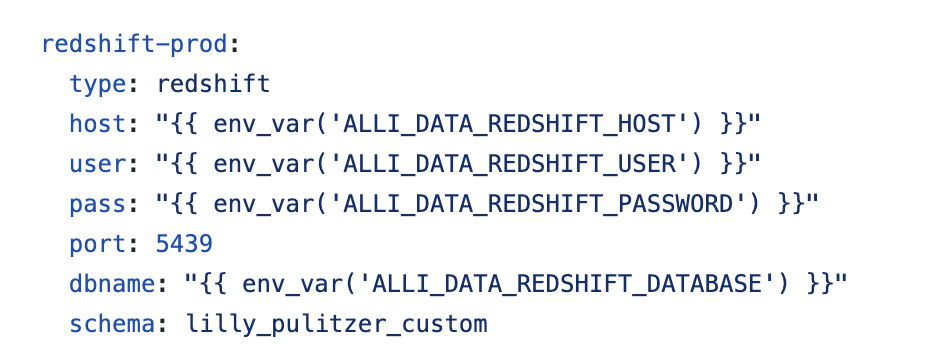
profiles.yml.
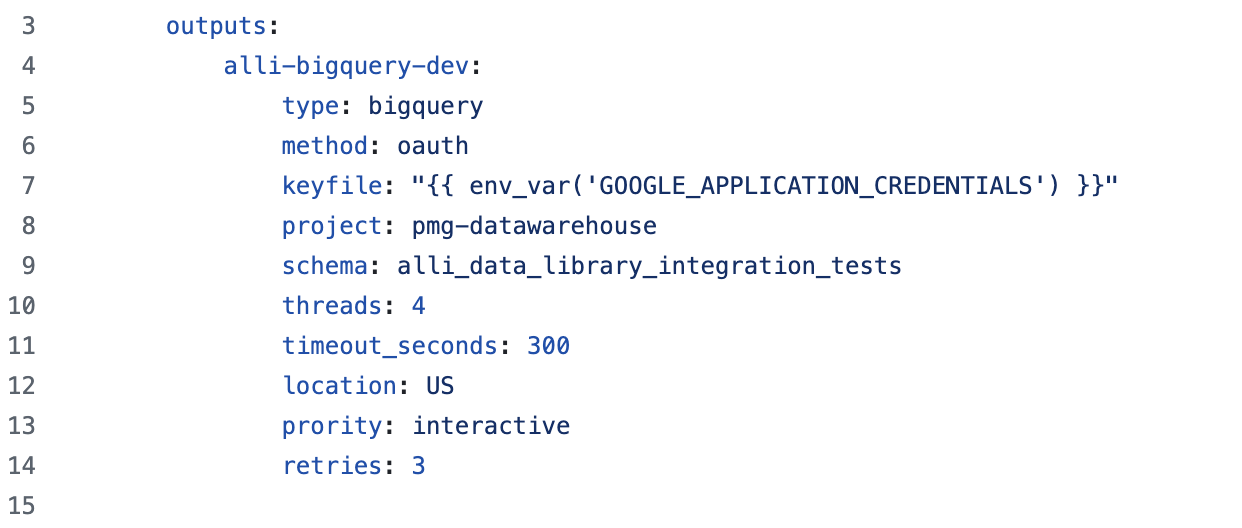
profiles.yml.