
To get started with any Hightouch Blueprints, you will need to create an API Key. This API Key is a secure way for Workflows to access Hightouch and will be required for every Hightouch Blueprint. Additionally, you'll need a Sync ID.
Creating a Hightouch API Key
-
Log into Hightouch.
-
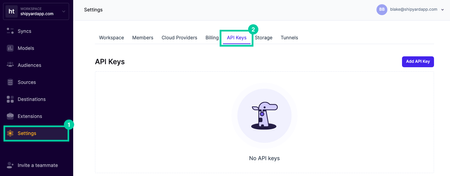
Select Settings on the sidebar and then click API Keys on the top navigation.
-
Click the button that says Add API Key.
-
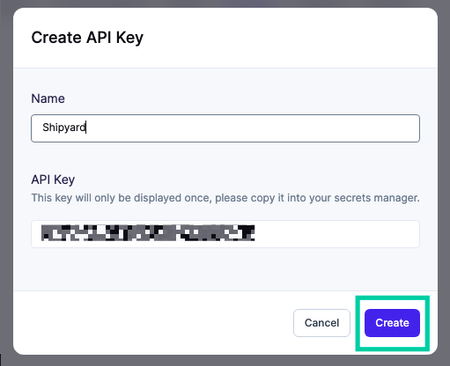
Enter a descriptive name like "Workflows"
-
Copy the API Key and store it somewhere safe. This value will be used for every Hightouch Blueprint.
-
Click Create.
Finding the Sync ID
Select any Sync from Hightouch. The Sync ID can be found at the end of the URL.
For example, if your sync URL is https://app.hightouch.com/shipyard/syncs/90210 then your sync ID would be 90210.