
Overview
If you no longer want an app to run, you can either set it to inactive or delete the app.
Instructions
-
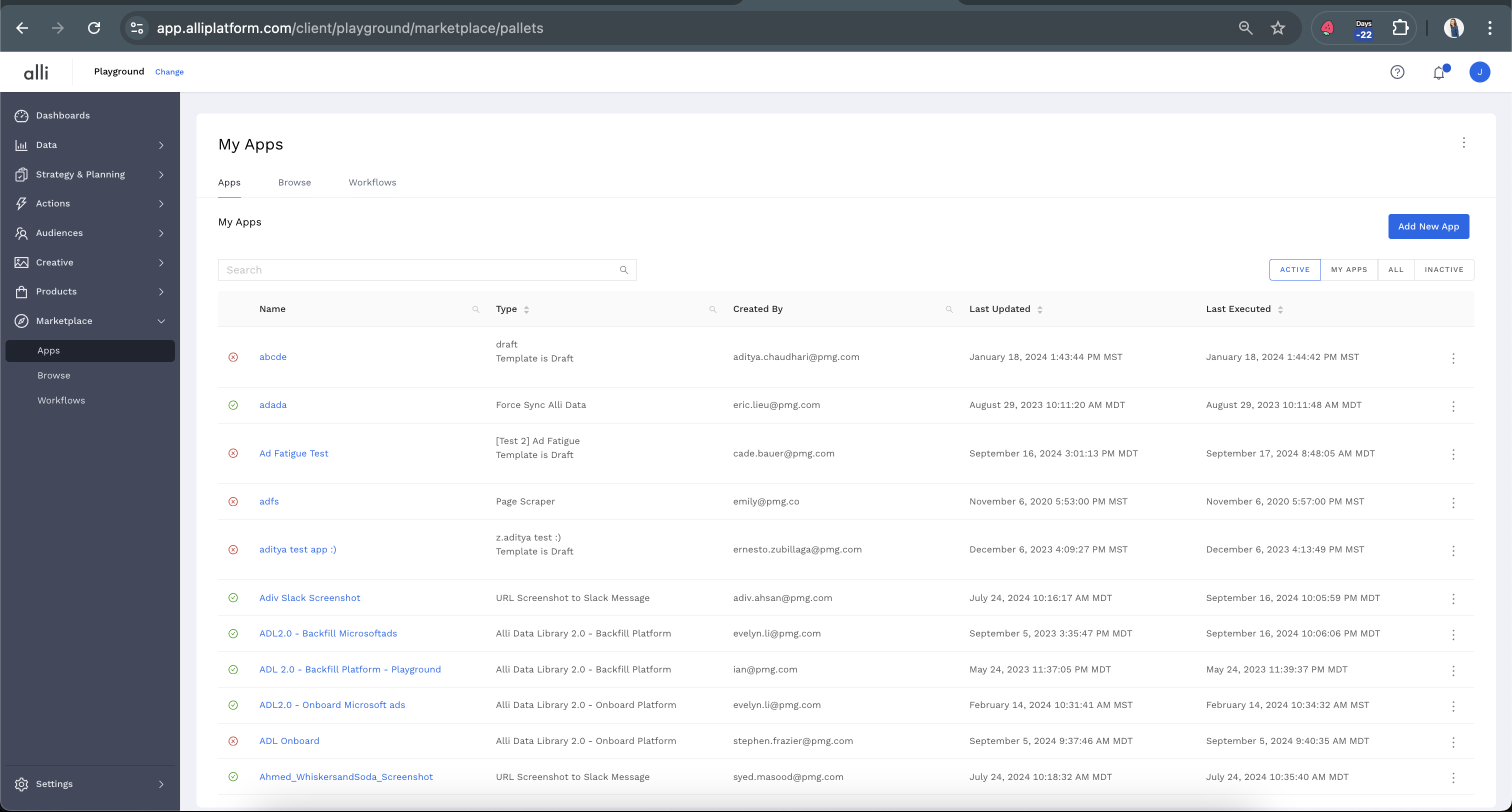
From the left-hand side navigation, select Marketplace. This will show all of the custom apps that are currently set up for the selected customer.
-
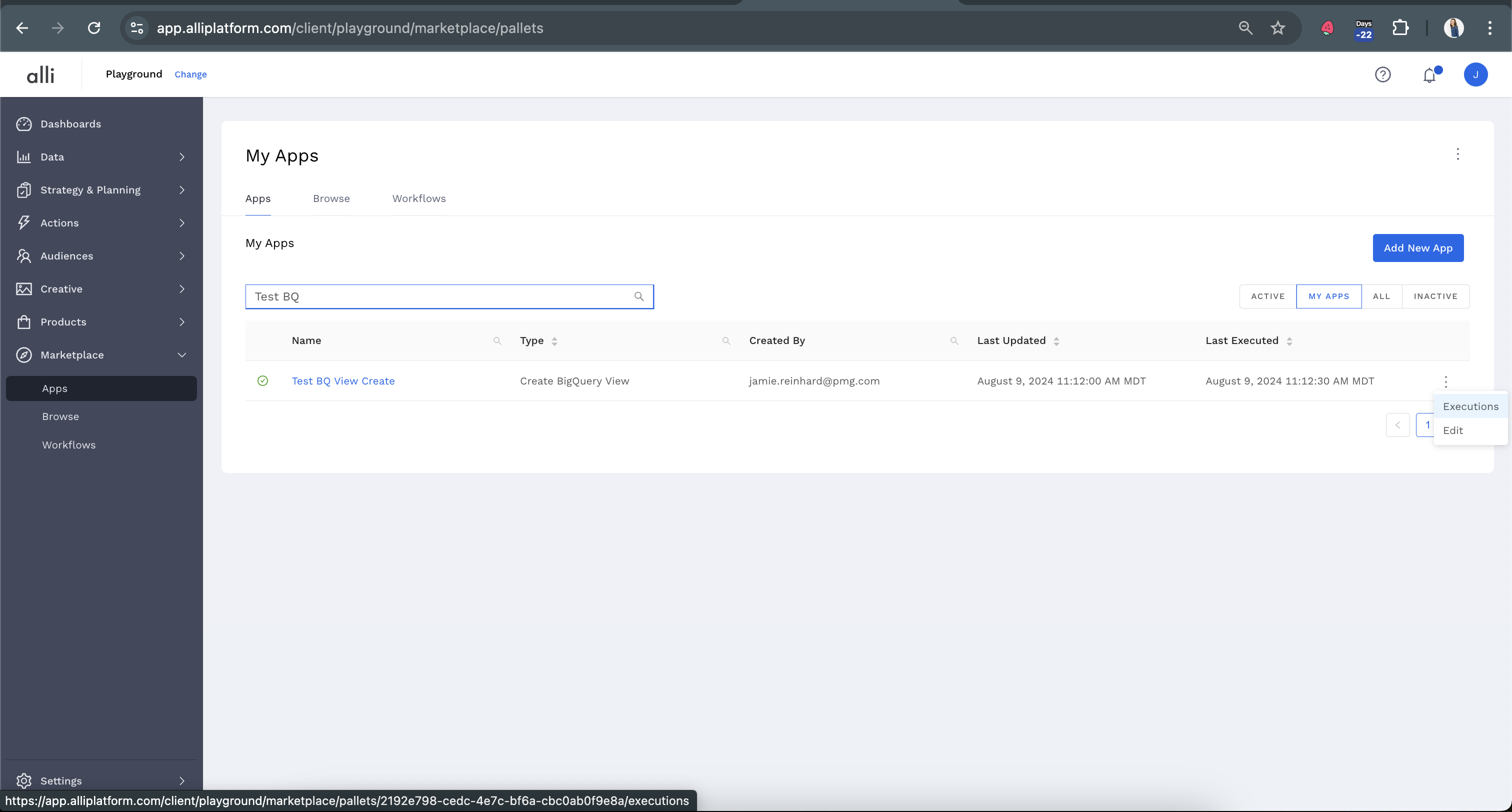
Using the search bar, find the app you would like to make inactive or delete. From the right-hand side of the App name, under the three dots, choose Executions. Or you can simply click on the name of the app.
To disable an app
If the app runs on a schedule, under “When should this app run?” uncheck the Active status so that your app will become inactive
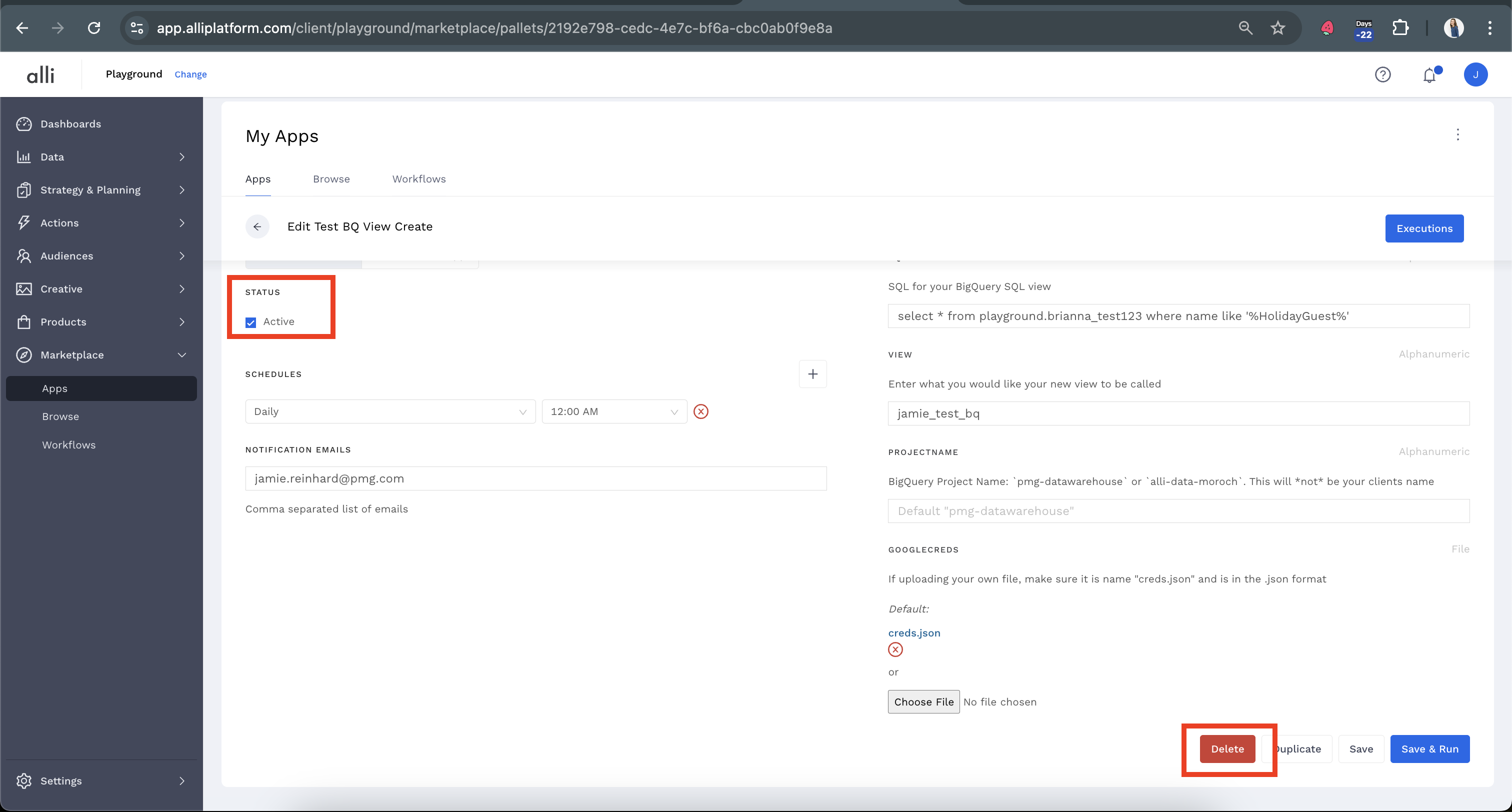
If the app runs as part of a workflow (after another app) you can either set the first app in the workflow to inactive, or deselect the app it should run after

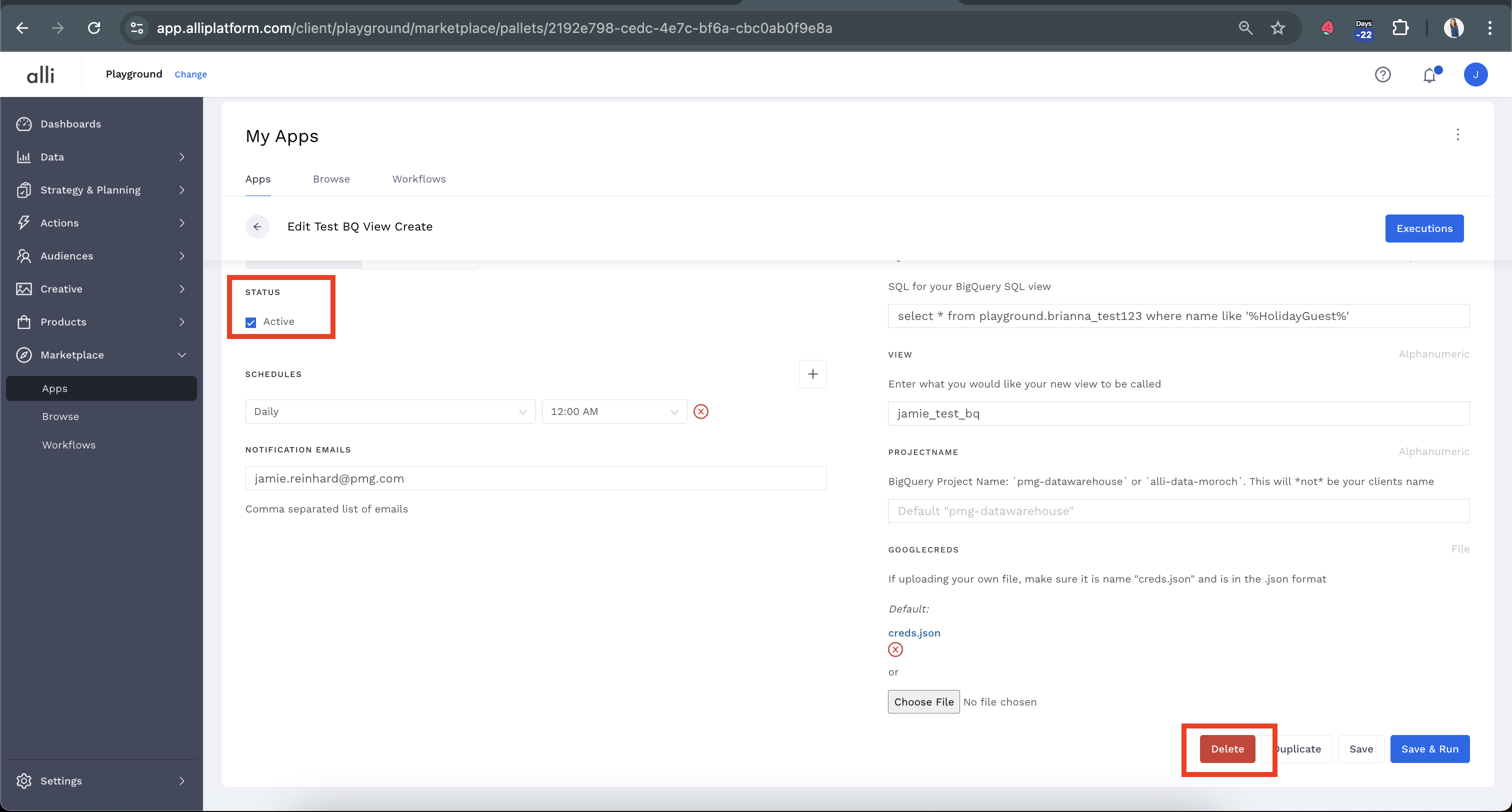
To delete an app
Scroll down to the bottom of the page and click Delete to remove the App.
Related articles
- How-To: Connect your Google Sheet to Actions
- How-To: Disable or Remove an Installed App
- How-To: Set Up a New Workflow
- How-To: Pull Data for TikTok Trends
- How-To: View Error Messages on an Action That Ran
- How-To: Filter Alli Data Reports by Date to Power Actions - Tips & Tricks
- How-To: Understanding Version Statuses
- How-To: Create a Scheduled Version
- How-To: Weather API App
- How-To: Set Up Brand Media Pacing Datastudio Dashboard
- Tutorial: Adding Negative Keywords to Google Ads
- How-To: Test Your Action
- How-To: Using the Execution Log
- How-To: Setup Weather Budget Adjuster
- Tutorial: TheTradeDesk - Brand Safety Alerts