Steps to create:
-
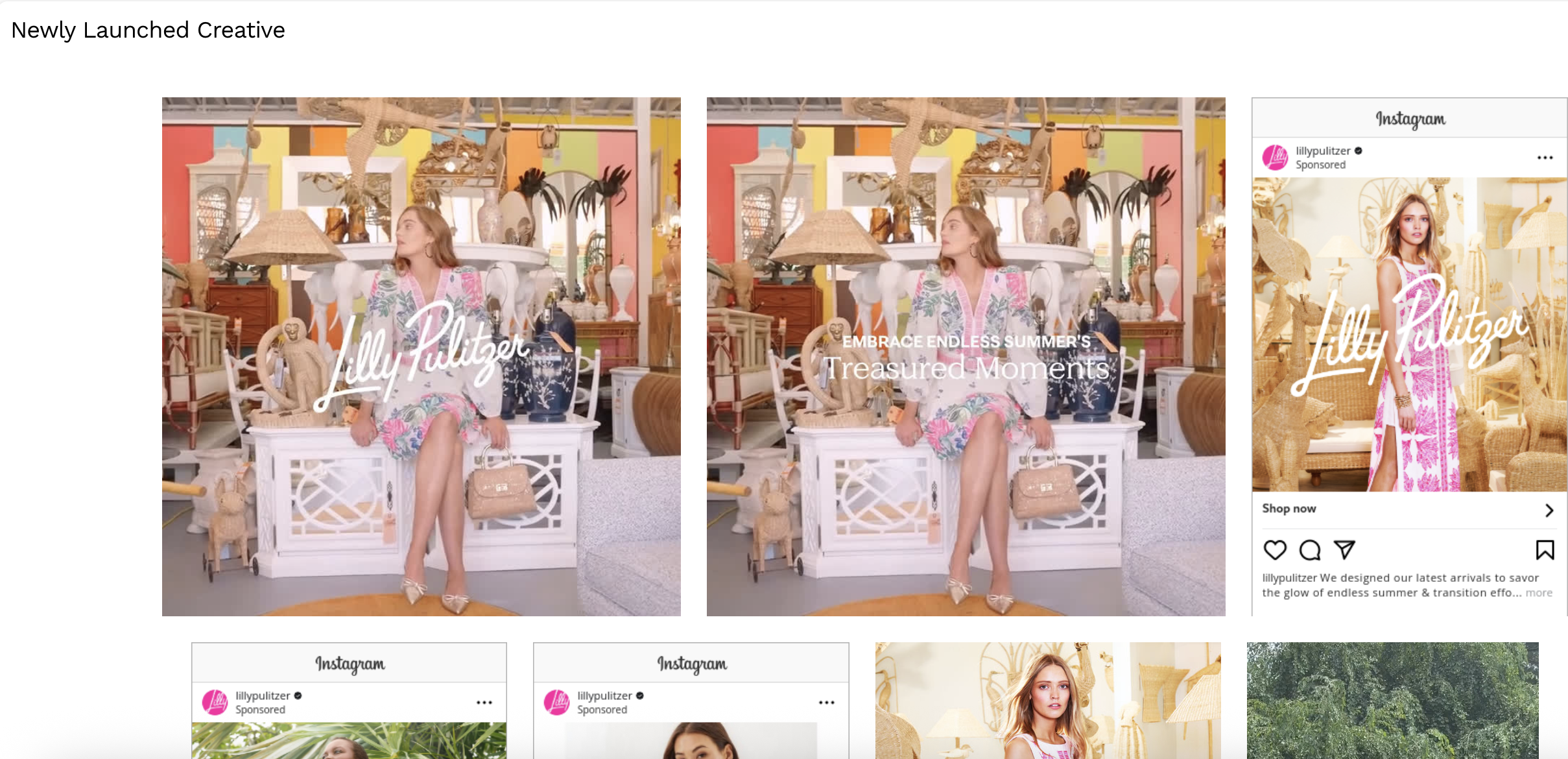
Select a chart you want to replace the creative grid view with and go to the code view
-
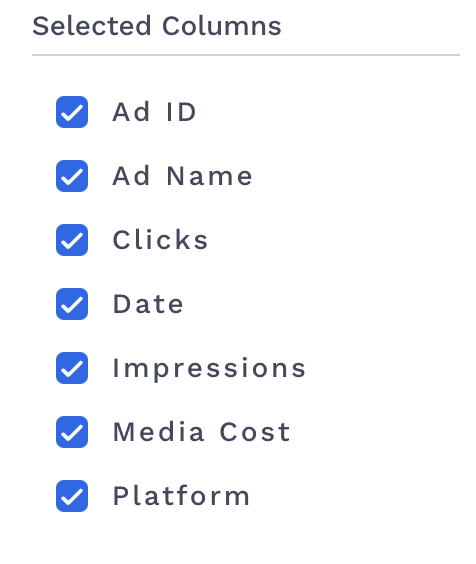
Select the the columns:
date,ad_id,ad_name,clicks,cost,impressionsandplatform -
-
Paste the following code, replace the
columnswith the appropriate names to the columns you selected:-
You will also note that there is a platformMap of platforms that are supported. The key is what is inside the data export and the value is what it maps to inside of creative Insights. For instance, if your platform value inside of the data export is “Facebook/IG”, you would change your platform map to read
”Facebook/IG”: “meta” -
The ClientId will need to be changed to your clientId.
JavaScriptfunction GridView({ data = [], comparisonData = [] }) { const clientId = '5cd63013-0b61-4ca3-9e60-ea58702cd853'; const columns = { 'date': 'date', 'ad_id': 'ad_id', 'ad_name': 'ad_name', 'clicks': 'clicks', 'impressions': 'impressions', 'cost': 'cost', 'platform': 'platform' }; const platformMap = { "Facebook Ads": "meta", "Pinterest Ads": "pinterest" }; const [visibleCount, setVisibleCount] = React.useState(20); const loadMore = () => { setVisibleCount(prevCount => prevCount + 20); }; const handleScroll = e => { const bottom = e.target.scrollHeight - e.target.scrollTop === e.target.clientHeight; if (bottom) loadMore(); }; const filteredData = data.filter(row => Object.keys(platformMap).includes(row[columns['platform']])); filteredData.sort((a, b) => new Date(b[columns['date']]) - new Date(a[columns['date']])); const formatNumber = val => { const num = parseFloat(val); if (isNaN(num)) return val; return num.toLocaleString(undefined, { maximumFractionDigits: 2 }); }; const formatCurrency = val => { const num = parseFloat(val); if (isNaN(num)) return val; return '$' + num.toLocaleString(undefined, { minimumFractionDigits: 2, maximumFractionDigits: 2 }); }; const gridItemStyle = { display: 'flex', flexDirection: 'column', alignItems: 'center', margin: '10px', position: 'relative', }; const overlayStyle = { position: 'absolute', top: 0, left: 0, right: 0, bottom: 0, backgroundColor: 'rgba(0, 0, 0, 0.5)', color: '#fff', display: 'flex', flexDirection: 'column', alignItems: 'center', justifyContent: 'center', opacity: 0, transition: 'opacity 0.3s', }; const onHover = e => { e.currentTarget.querySelector('.overlay').style.opacity = 1; }; const onLeave = e => { e.currentTarget.querySelector('.overlay').style.opacity = 0; }; return React.createElement('div', { style: { display: 'flex', flexDirection: 'column', alignItems: 'flex-start', height: 1000, overflowY: 'auto' }, onScroll: handleScroll }, React.createElement('h2', { style: { marginBottom: '20px', fontSize: '18px', textAlign: 'left', paddingLeft: '10px' } }, 'Newly Launched Creative'), React.createElement('div', { style: { display: 'flex', flexWrap: 'wrap', justifyContent: 'center', width: '100%' } }, filteredData.slice(0, visibleCount).map(row => { const platformKey = platformMap[row[columns['platform']]]; const imgUrl = `https://preview.creative.alliplatform.com/client/${clientId}/${platformKey}/image/${row[columns['ad_id']]}`; const previewUrl = `https://preview.creative.alliplatform.com/client/${clientId}/${platformKey}/preview/${row[columns['ad_id']]}`; return React.createElement('div', { style: gridItemStyle, onMouseEnter: onHover, onMouseLeave: onLeave }, React.createElement('img', { src: imgUrl, style: { maxHeight: '400px' }, width: 'auto', height: '400px' }), React.createElement('a', { href: previewUrl, target: '_blank', rel: 'noopener noreferrer', className: 'overlay', style: overlayStyle }, React.createElement('div', null, `Impressions: `, React.createElement('b', null, formatNumber(row[columns['impressions']]))), React.createElement('div', null, `Clicks: `, React.createElement('b', null, formatNumber(row[columns['clicks']]))), React.createElement('div', null, `Platform: ${row[columns['platform']]}`), React.createElement('div', null, `Cost: `, React.createElement('b', null, formatCurrency(row[columns['cost']]))), React.createElement('div', { style: { marginTop: '5px', textAlign: 'center', wordWrap: 'break-word', width: '90%' } }, row[columns['ad_name']]) ) ); }) ) ); }
-